

Les Topics permettent de définir et suivre les sujets de conversation. Notre IA catégorise automatiquement les chats pertinents pour vous permettre de les suivre.
Qu’est-ce que les Topics ?
Section intitulée « Qu’est-ce que les Topics ? »Les Topics permettent de définir et suivre les sujets de conversation qui comptent pour vous. Notre IA analyse automatiquement chaque chat, catégorise les conversations pertinentes et vous aide à voir l’ensemble du tableau d’un coup d’œil.
Il existe deux types de topics dans Quickchat :
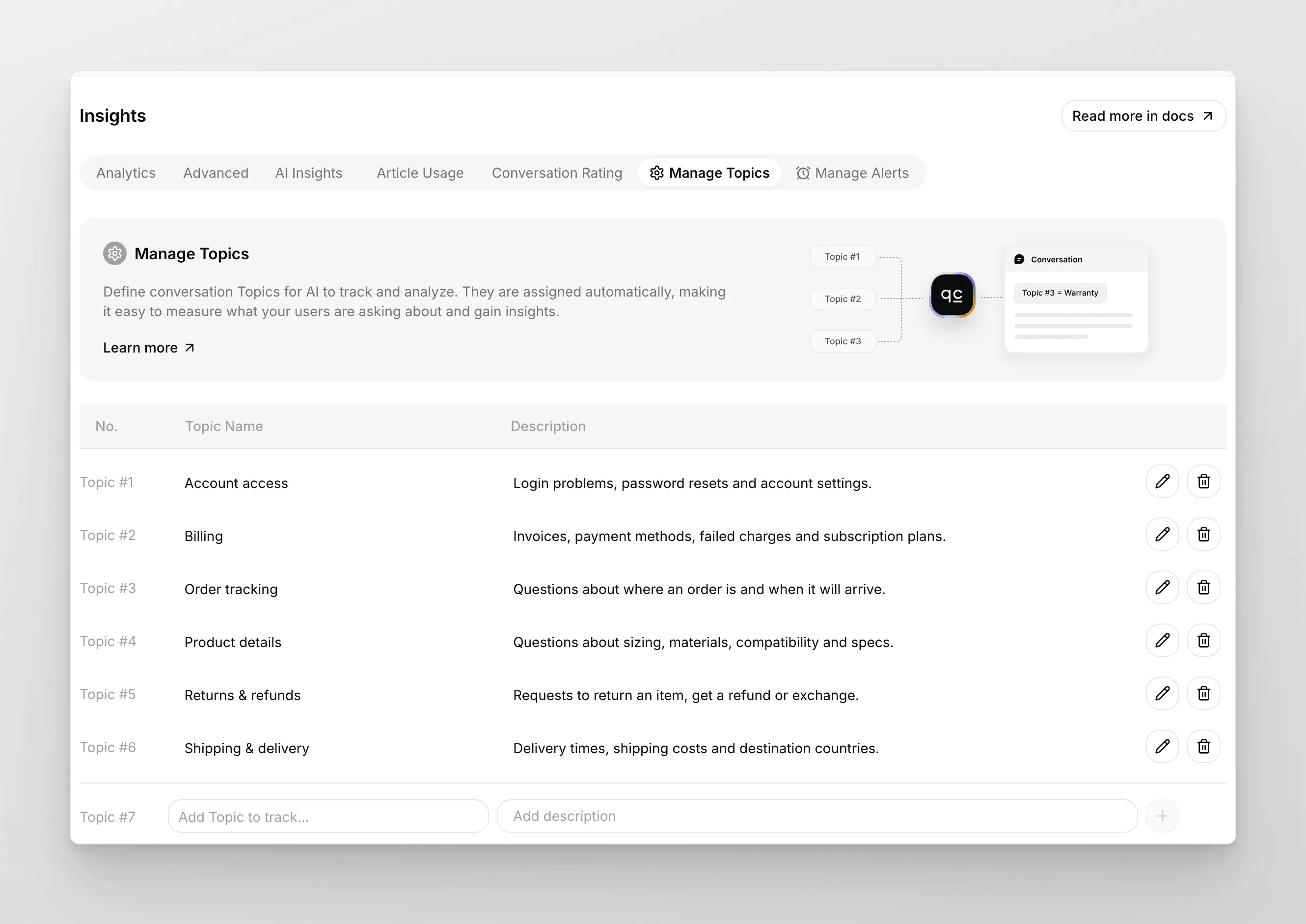
- Custom Topics : ceux que vous définissez sous Insights → Manage Topics. Utilisez-les lorsque vous avez des catégories métier précises que vous souhaitez suivre explicitement (par exemple « Shipping », « Refunds », « Onboarding »).
- AI-Detected Topics : découverts automatiquement par Quickchat à partir de vos données de conversation. Aucune configuration requise, et ils apparaissent dans Insights → Advanced. Utilisez-les pour trouver des sujets que vous n’aviez pas encore pensé à définir.
Les Topics vous aident à :
- Connaître les sujets clés : voyez instantanément ce dont vos utilisateurs parlent le plus, comme la livraison, le feedback produit ou les questions fréquentes.
- Mesurer l’impact des changements : vous avez lancé une nouvelle fonctionnalité ou une nouvelle politique ? Suivez comment elle apparaît dans vos conversations.
- Repérer les tendances dans le temps : remarquez des schémas, comme une hausse des questions de prix ou des points de friction récurrents pendant les fêtes.
Comment utiliser les Custom Topics
Section intitulée « Comment utiliser les Custom Topics »Pour démarrer, accédez à Insights → Manage Topics.
- Ajouter des Topics : saisissez les sujets que vous souhaitez suivre (par exemple « Shipping », « Pricing », « Returns ») et ajoutez des descriptions pour plus de contexte. L’IA utilise la description pour décider si une conversation correspond.
- Tagging automatique : l’IA affecte vos Topics aux conversations pertinentes au fur et à mesure qu’elles arrivent.
Vous verrez quels topics sont les plus courants et pourrez explorer des conversations spécifiques pour des insights plus approfondis.
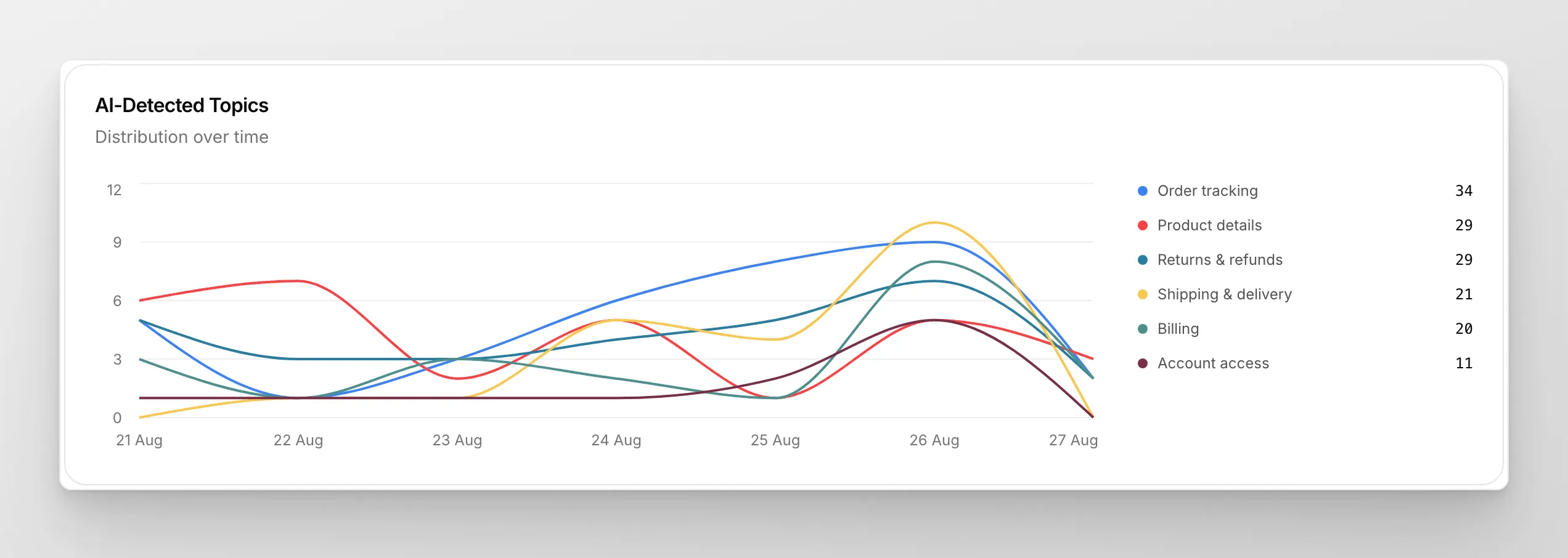
Imaginez constater d’un coup d’œil que votre nouvelle politique de retour a réduit de 30 % la confusion client, ou repérer une hausse discrète des questions de prix avant qu’elle ne devienne un problème plus important. Les Topics vous fournissent des données actionnables : pas seulement des chiffres, mais des insights exploitables.
Prêt à démarrer ?
Section intitulée « Prêt à démarrer ? »Les Topics sont disponibles sur toutes les offres. Activez-les dès aujourd’hui et voyez ce que vous découvrez !
Des retours ou des idées pour améliorer Insights ? Nous serions ravis de vous lire. Écrivez à Patryk, notre Product Lead.
Nous développons activement de nouvelles fonctionnalités pour Insights. Restez à l’écoute pour découvrir d’autres façons d’explorer vos données et de prendre de meilleures décisions !