

Topics let you define and monitor conversation subjects. Our AI categorizes relevant chats automatically so you can track them.
What are Topics?
Section titled “What are Topics?”Topics let you define and monitor conversation subjects you care about. Our AI automatically analyzes every chat, categorizes relevant conversations, and helps you see the big picture at a glance.
There are two kinds of topics in Quickchat:
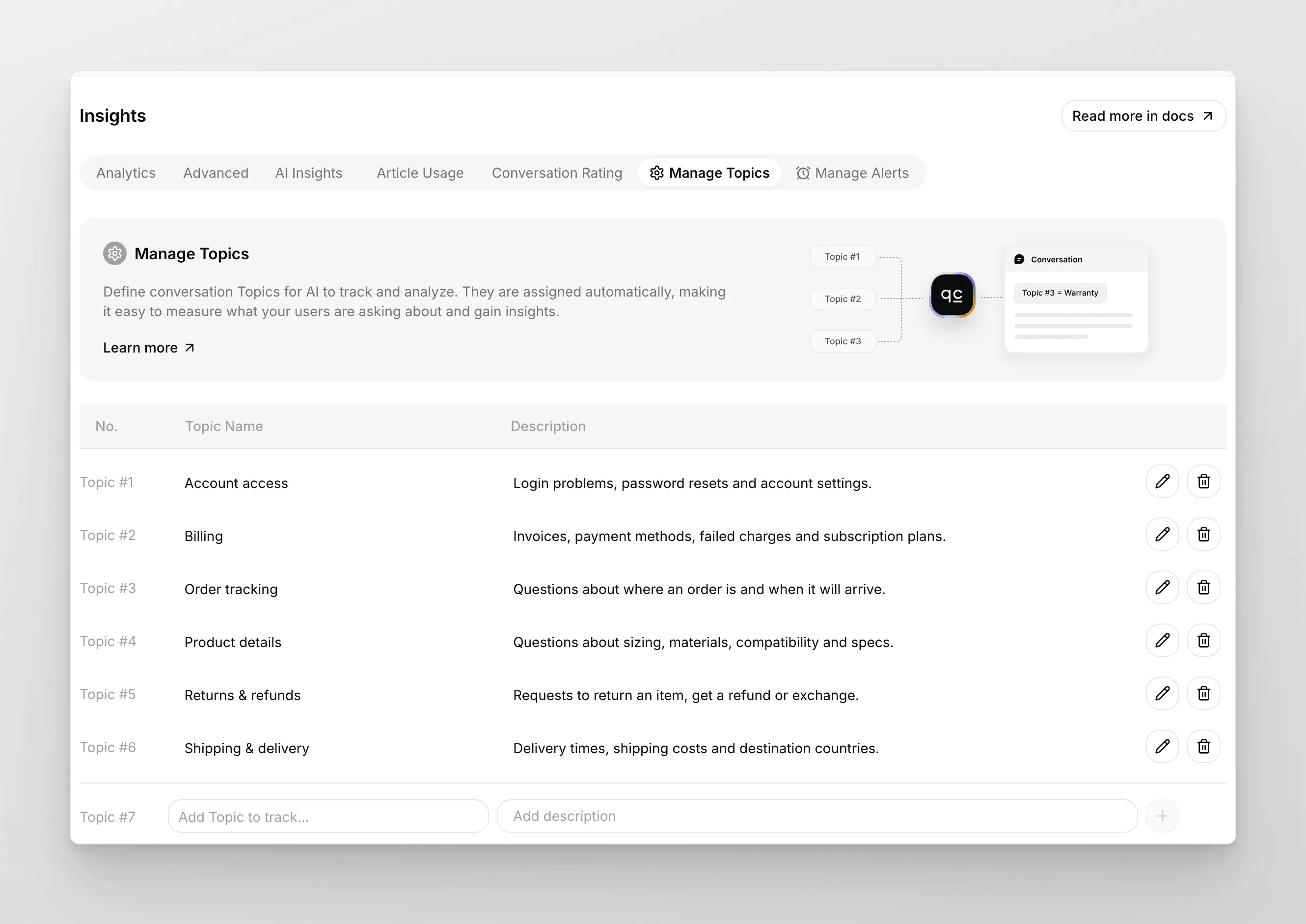
- Custom Topics — ones you define under Insights → Manage Topics. Use these when you have specific business categories you want to track explicitly (e.g., “Shipping”, “Refunds”, “Onboarding”).
- AI-Detected Topics — automatically discovered by Quickchat from your conversation data. No setup required, and they appear in Insights → Advanced. Use them to find topics you didn’t think to define yet.
Topics help you:
- Know the key subjects — instantly see what your users are talking about most, like shipping, product feedback, or common questions.
- Measure the impact of changes — launched a new feature or policy? Track how it shows up in your conversations.
- Spot trends over time — notice patterns, such as a spike in pricing questions or recurring pain points during holidays.
How to use Custom Topics
Section titled “How to use Custom Topics”To get started, go to Insights → Manage Topics.
- Add Topics — enter the topics you want to track (for example, “Shipping”, “Pricing”, “Returns”) and add descriptions for extra context. The AI uses the description to decide whether a conversation matches.
- Automatic tagging — the AI will assign your Topics to relevant conversations as they come in.
You will see which topics are most common and can dive into specific conversations for deeper insights.
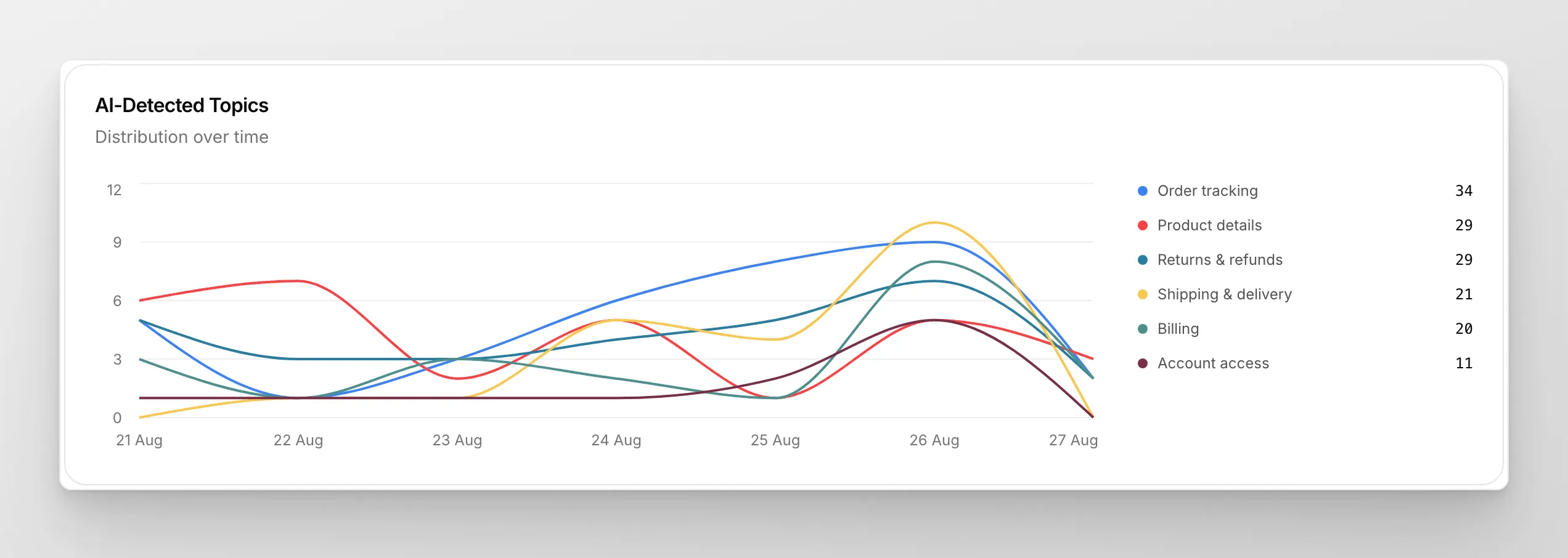
Imagine knowing at a glance that your new return policy reduced customer confusion by 30 percent, or spotting a quiet increase in pricing questions before it becomes a bigger issue. Topics give you actionable data — not just numbers, but insights you can use.
Ready to start?
Section titled “Ready to start?”Topics are available on all plans. Enable them today and see what you uncover!
Got feedback or ideas for improving Insights? We would love to hear from you. Reach out to Patryk, our Product Lead.
We are actively building new features for Insights. Stay tuned for more ways to explore your data and drive better decisions!